

Plan my week
One tap picks five dinners that fit your diet. Not feeling one? Swap it.
Pick a few recipes for the week. Dishday builds one grocery list, sorted by aisle, and walks you through every step in the kitchen.
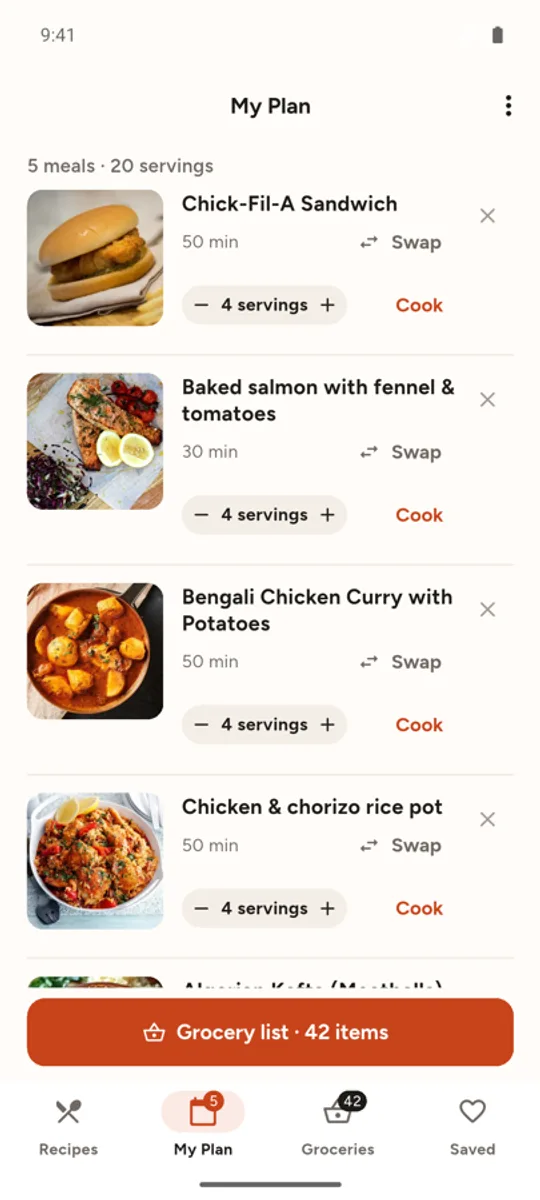
Tap + on recipes you like, or let Dishday pick five dinners for you.
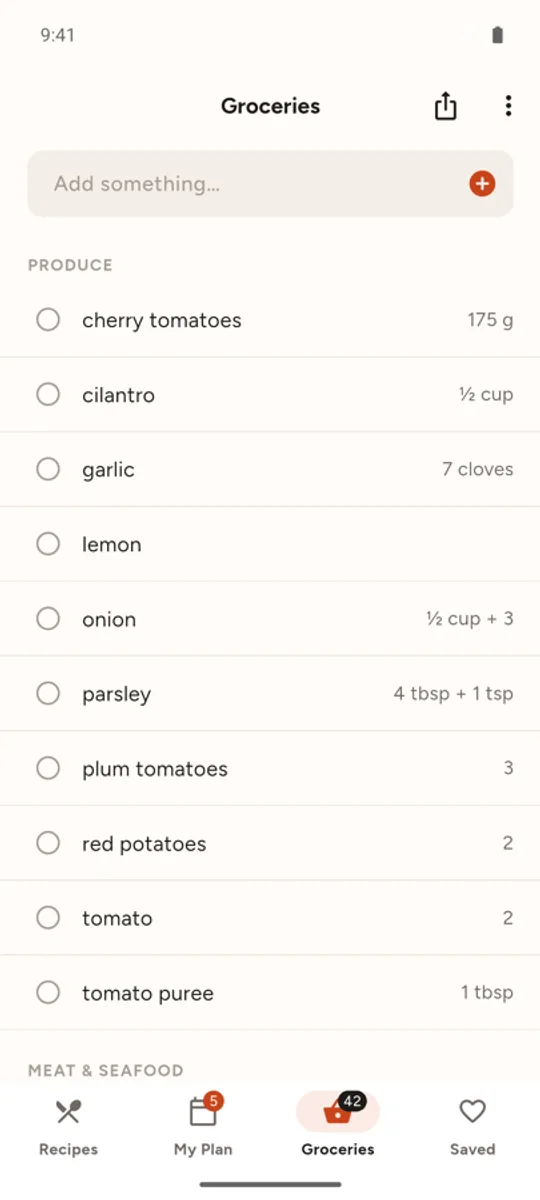
All ingredients land in one list, added up and grouped by aisle.
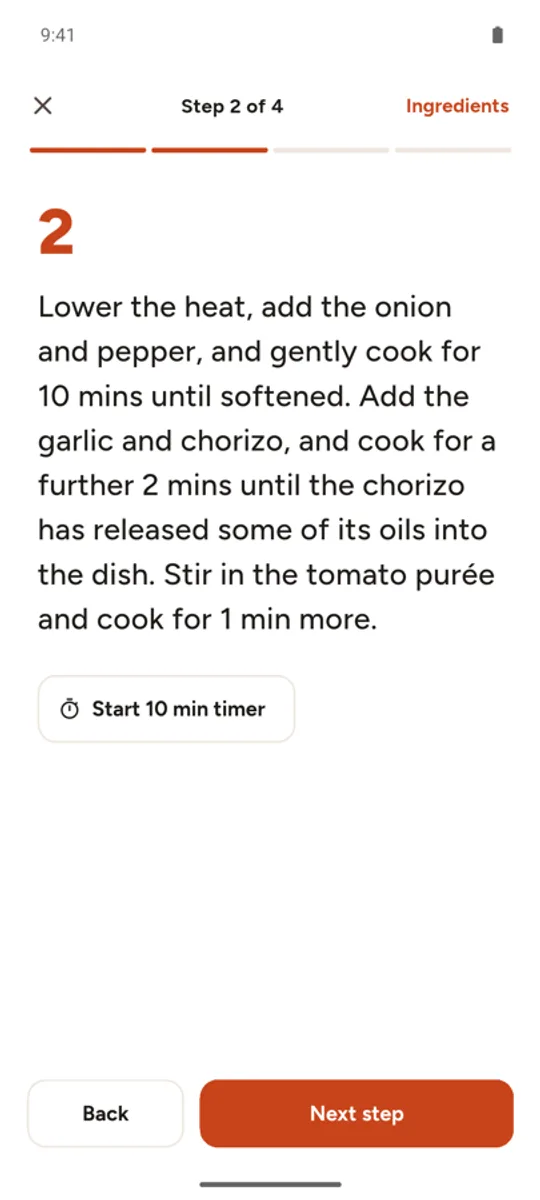
One step at a time, big text, timers built in.
One tap picks five dinners that fit your diet. Not feeling one? Swap it.
Every ingredient from your plan, added up and sorted by aisle. Check items off as you shop.
Big, clear steps with built-in timers. Your screen stays on while you cook.
Tell it what you have. Get recipes that use the most of it, and what’s missing.
Vegetarian, keto, nut-free, no pork… Recipes that don’t fit simply don’t show up.
Your plan, grocery list and saved recipes are on your phone. No account, no sign-in.
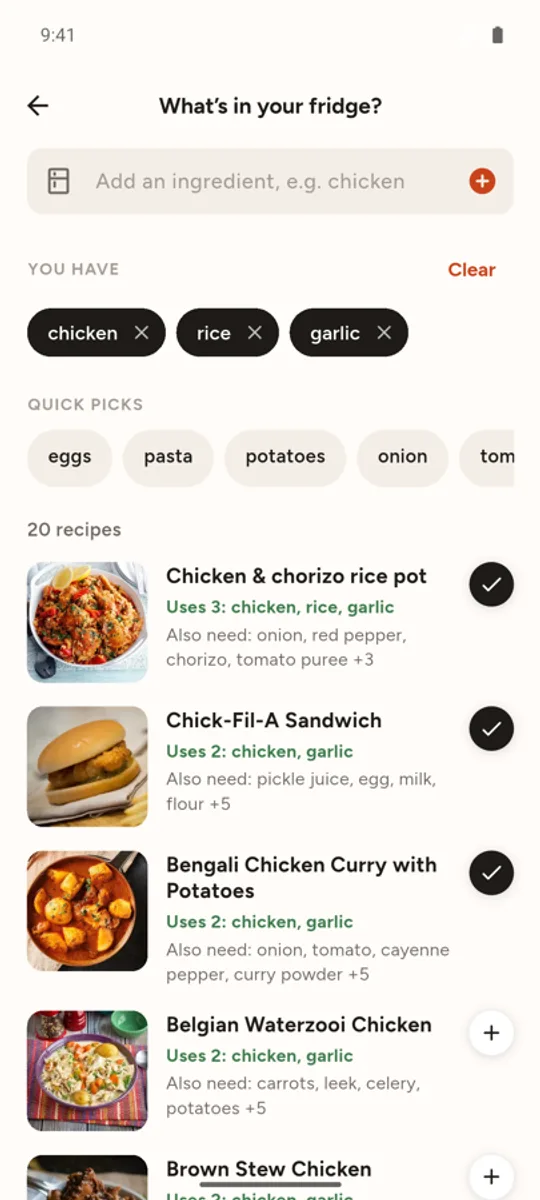
Add what’s in your fridge and Dishday ranks recipes by how much of it they use, and tells you the one or two things you still need.
Get it free onGoogle PlayYes. Every feature is free. The app shows a few ads to keep it that way.
No. Open the app and start planning. Your plan, grocery list and saved recipes stay on your phone.
Dishday is on Android for now.
Yes. Pick your diet and the foods you avoid when you start (gluten, dairy, nuts, shellfish and more). Recipes that contain them are hidden everywhere in the app.
Dishday works the same simple way: pick recipes for the week, get one organized grocery list, and cook step by step. It’s free and needs no account, so you can start in seconds.
Every week. Turn on reminders in the app to hear about new collections.


